

AI Presentation Tool With Dynamic Storytelling
Chronicle 2.0 (chroniclehq.com) is an AI-powered presentation tool built around a specific problem: AI-generated slides look like AI-generated slides. Chronicle 2.0 was built to solve this. It launched on Product Hunt and reached #1 for the week with 716 upvotes.
What Is Chronicle 2.0?
Chronicle is a web-based presentation editor that combines AI content generation with a design system that deliberately avoids the generic AI aesthetic. The AI layer handles content structure, copy, and layout suggestions — but the output is filtered through Chronicle's proprietary design engine, which enforces typographic hierarchy, spacing systems, and visual coherence standards closer to what a professional designer would produce.
Version 2.0 introduces a completely rebuilt AI engine with better understanding of presentation narrative structure, and a new brand mode that applies your organization's colors, fonts, and logo consistently across every generated slide. It also adds real-time collaboration.
Key Features
- Anti-AI-slop design engine — Chronicle's proprietary design system enforces visual quality standards that prevent the generic templated look common to AI-generated presentations
- Narrative-aware AI — The AI understands presentation structure: hook, problem, solution, evidence, call to action
- Brand mode — Upload your brand kit and Chronicle applies it consistently to every generated slide
- AI image generation — Generate slide visuals that match the presentation topic and brand aesthetic
- Real-time collaboration — Multiple editors, simultaneous editing, full version history
- Export flexibility — Export to PowerPoint (PPTX), PDF, and shareable web link
Pricing
-
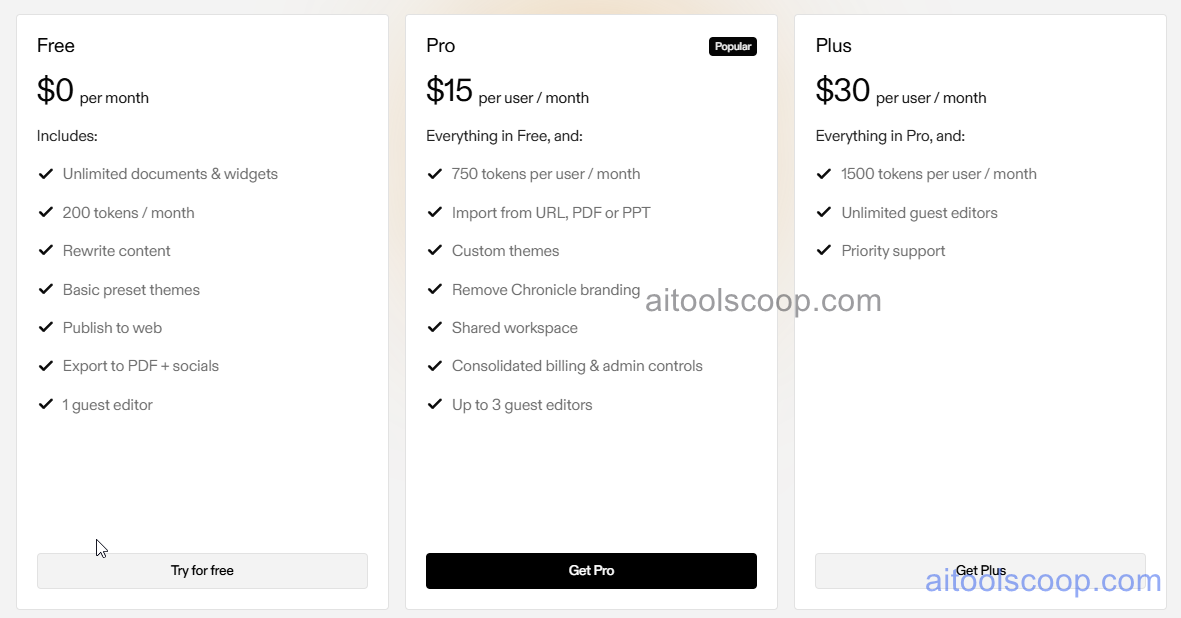
Free — $0/month — Unlimited documents & widgets, 200 tokens/month, rewrite content, basic themes, publish to web, PDF/social export, 1 guest editor
- Pro — $15/user/month — Everything in Free, 750 tokens/user/month, import from URL/PDF/PPT, custom themes, remove branding, shared workspace, admin controls, 3 guest editors
- Plus — $30/user/month — Everything in Pro, 1,500 tokens/user/month, unlimited guest editors, priority support.Pricing is subject to change. Always check the latest rates on the official website. For more AI tool reviews, visit aitoolscoop.com.
Pros & Cons
Pros:
- Design quality genuinely differentiated — output does not look like generic AI templates
- Narrative-aware AI structures presentations as arguments not bullet lists
- Brand mode maintains visual consistency without manual per-slide adjustment
- Real-time collaboration on par with Google Slides and Figma
- #1 Product Hunt week with 716 upvotes — strong independent community validation
Cons:
- Template library smaller than established tools like Beautiful.ai or Canva Presentations
- AI image generation quality varies — best results with specific descriptive prompts
- PPTX export fidelity not perfect — some formatting may require adjustment after export
Bottom Line
Chronicle 2.0 is the best AI presentation tool for teams that want design quality without the generic AI aesthetic. It earned #1 on Product Hunt's weekly leaderboard for good reason.