
Rewind AI (rewind.ai) is a personal AI memory assistant that continuously records what you see on your screen and hear through your microphone, then makes all of it searchable and queryable using natural language. The core idea is straightforward but powerful: instead of relying on memory or scattered notes, users can simply ask "What did John say about the marketing budget last Tuesday?" and Rewind retrieves the exact moment from a searchable archive of their digital activity. The platform captures screen content in a highly compressed format that takes relatively little storage, indexing on-screen text, images, and audio — including video calls — into a private, locally-stored database.
Rewind's privacy model is local-first: recordings are compressed, transcribed, and encrypted directly on the user's device, and the company states that data is not shared beyond what's necessary for specific AI features like meeting summarisation or "Ask Rewind" queries. Beyond raw search and recall, Rewind generates human-level meeting summaries automatically for calls across Zoom, Google Meet, and Microsoft Teams, producing shareable notes and action items without manual note-taking. The "Ask Rewind" feature functions as a personalised AI assistant — because it has access to everything the user has seen and heard, it can draft emails, summarise documents, and answer questions with context that a generic AI assistant wouldn't have. The platform is available on macOS and iOS, with users able to choose which apps to record, pause recording at any time, and control data retention periods.
How Rewind AI Works
After installation, Rewind runs unobtrusively in the background on macOS or iOS, continuously capturing screen activity and, optionally, audio from meetings and calls. This content is compressed, transcribed using local automated speech recognition, and encrypted on-device. Users can search this archive using natural language — asking about specific conversations, documents they viewed, or websites they visited — and Rewind retrieves the relevant moment along with surrounding context. For meetings, Rewind automatically generates summaries with key points and action items, which can be shared with collaborators. "Ask Rewind" lets users pose questions or requests (such as drafting an email referencing a past conversation) and receive AI-generated responses informed by the user's recorded history. Users retain control throughout: specific apps can be excluded from recording, recordings can be paused or deleted at any time, and retention duration is configurable.
Key Features
- Continuous screen and audio recording — captures everything seen and heard on macOS and iOS in a compressed, searchable format
- Natural-language search — ask questions in plain language to instantly locate specific past screens, conversations, or documents
- Automated meeting summaries — generates human-level summaries with key points and action items for calls on Zoom, Google Meet, and Microsoft Teams
- Ask Rewind AI assistant — a personalised assistant that drafts emails, summarises documents, and answers questions using context from your recorded history
- Local-first privacy — recordings are compressed, transcribed, and encrypted on-device, with granular control over what gets recorded
- Selective app recording — choose which applications are recorded, and pause or delete recordings at any time
- Configurable data retention — set how long recorded data is stored before automatic deletion
- Automatic categorisation and tagging — algorithms tag and categorise key topics for easier retrieval without manual organisation
- Backup and retrieval — work and information remain backed up and retrievable in the event of a system issue
- ADHD-friendly workflow support — offloads task tracking and note-taking to reduce cognitive load for users managing focus challenges
Rewind AI Pricing
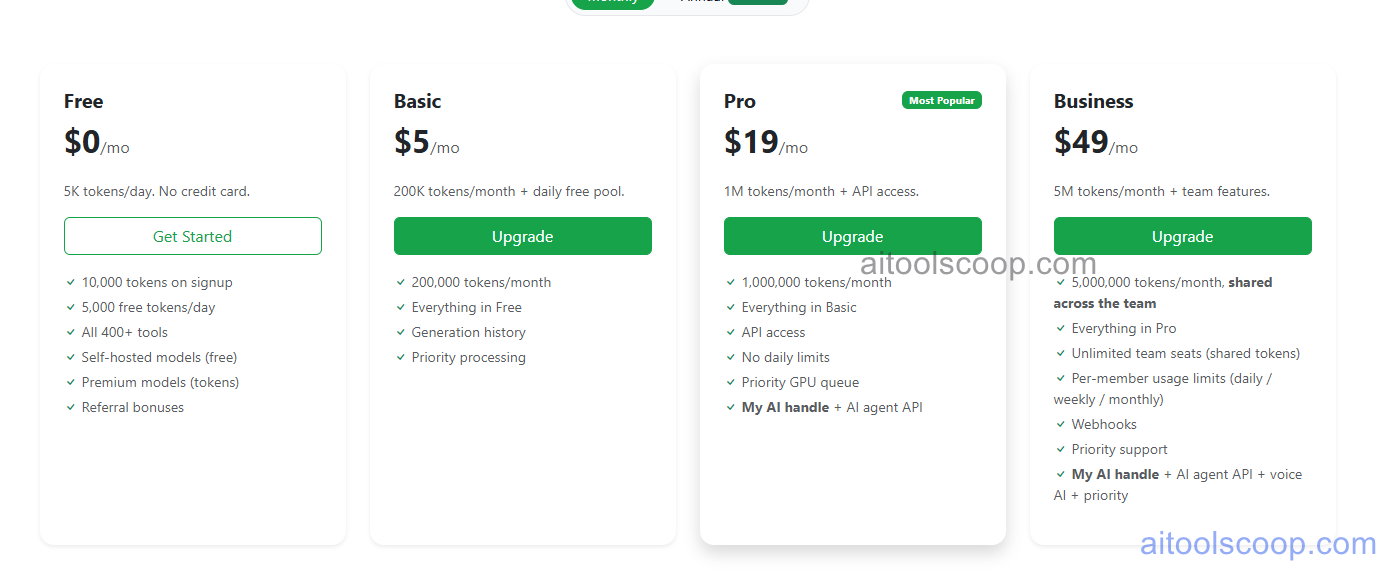
- Free — $0/month — Core recording and search functionality with limited history retention, suitable for trying the core "perfect recall" experience.
- Personal — $5/month ($4/month billed annually) — Extended recording history, natural-language search, and core Ask Rewind functionality for individual users.
- Pro — $19/month ($15/month billed annually) — Unlimited recording, full AI search across all history, meeting intelligence with automatic summaries and action items, and audio transcription with advanced search.
- Max — $49/month ($39/month billed annually) — Highest storage and history limits, priority processing, and the most extensive AI assistant capabilities for power users with heavy daily recording volume.
Rewind AI is available for macOS and iOS, with a Windows version reported to be in development. Always verify current rates at rewind.ai/pricing.
Who Should Use Rewind AI?
Rewind AI is best suited to Mac-based knowledge workers, executives, and engineers who process large volumes of information across meetings, documents, and browsing, and who want the ability to instantly recall any past detail without manual note-taking. Its local-first privacy approach addresses a major concern around continuous recording, making it more palatable for professionals handling sensitive information than cloud-based alternatives. Users managing ADHD or focus challenges may find the automatic task tracking and recall particularly valuable. The main limitations are the Mac/iOS-only availability (with Windows still in development) and the inherent privacy considerations of continuous recording — users in shared or sensitive environments should review what gets recorded and configure exclusions accordingly. Teams needing collaborative, cloud-based shared memory across Windows and Mac users may need to wait for broader platform support or consider alternatives.
Frequently Asked Questions
What is Rewind AI?
Rewind AI is a personal AI memory assistant for macOS and iOS that continuously records your screen activity and audio, then makes everything searchable using natural language. It generates automatic meeting summaries, and its "Ask Rewind" assistant can draft emails and answer questions using context from your recorded history.
Is Rewind AI free?
Yes — Rewind AI offers a free plan with core recording and search functionality and limited history retention, allowing users to try the "perfect recall" experience. Paid plans start at $5/month (or $4/month billed annually) and unlock extended history, full AI search, meeting summaries, and higher usage limits.
Is Rewind AI private and secure?
Rewind AI uses a local-first privacy approach: recordings are compressed, transcribed, and encrypted directly on the user's device. The company states data is not shared beyond what's necessary for specific AI features like meeting summarisation. Users can choose which apps to record, pause recording at any time, delete recordings, and configure how long data is retained.
What platforms does Rewind AI support?
Rewind AI is currently available for macOS and iOS. A Windows version has been reported to be in development, but as of 2026 it is not yet available. This Mac/iOS-only availability is one of the main limitations for users on other platforms.
How does Rewind AI generate meeting summaries?
Rewind AI can record meetings across platforms like Zoom, Google Meet, and Microsoft Teams, transcribing audio locally and using AI to generate human-level summaries that include key points and action items. These summaries can be shared with collaborators, saving time on manual note-taking after calls.