

Home/ AI Tools /AI Image Generation /Bing Image Creator
Bing Image Creator Freemium
🤖 AI Image Generation
#12 in AI Image Generation

Bing Image Creator

Bing Image Creator is Microsoft's free AI image generator powered by GPT-4o, DALL-E 3, and MAI-Image-1 — accessible directly from bing.com/create with no subscription required.

4.1 / 5 Freemium From $0/mo
Quick Info
💰 Pricing$0/mo
⭐ Rating4.1 / 5
🆓 Free Plan✅ Yes
📂 CategoryAI Image Generation
🌐 WebsiteVisit ↗
🕐 Last UpdatedApr 9, 2026
🔀 Alternatives18 tools
Verified Data Updated Apr 9, 2026
Independently Reviewed No paid placements
Detailed Analysis Hands-on testing
Key Features
  • Multi-model choice — switch between GPT-4o, DALL-E 3, and MAI-Image-1 for different creative styles
  • Free unlimited standard-speed generation with no subscription or credit card required
  • 15 fast creations per day at no cost; additional fast generations use Microsoft Rewards points
  • Image upload and editing for style transfer and image-to-image generation
  • Deep Microsoft 365 integration — generate images inside Word, PowerPoint, Designer, and Copilot
  • C2PA content credentials tag all generated images as AI-created for transparency
  • 100+ language support for prompts from global users
  • Automatic content safety filters block harmful, explicit, or policy-violating image requests
4.1
Overall Rating
Ease of Use
4.3
Features
4.1
Value
3.8
Performance
4.2
Support
4.0
Pros & Cons
👍 Pros
  • Completely free — no subscription, no credit card, no generation limits on standard speed
  • Access to GPT-4o and DALL-E 3 models at no cost — quality rivals paid tools
  • Seamlessly integrated into Microsoft 365 apps including Word, PowerPoint, and Designer
  • C2PA transparency tagging supports responsible AI image use
  • 15 fast creations per day is generous for casual and personal use
👎 Cons
  • Fast generation limited to 15 per day without spending Microsoft Rewards points
  • All generated images are watermarked — not suitable for professional commercial output without review
  • Text rendering in images is often inaccurate with spelling errors
  • Cannot be used with Microsoft Entra ID (work or school accounts) — personal accounts only
  • Not suitable for high-volume or API-based commercial image production workflows
📖

About Bing Image Creator

Bing Image Creator (bing.com/images/create) is Microsoft's free, browser-based AI image generation tool. It is powered by multiple leading models — including GPT-4o, DALL-E 3, and MAI-Image-1 — and is available to anyone with a free Microsoft account. Users can generate images directly from bing.com/create, from the Bing search bar, through the Bing mobile app, or integrated into Microsoft 365 applications including Word, PowerPoint, and Designer.

How Bing Image Creator Works

You sign in with a Microsoft account, type a detailed text description of the image you want, and select a model. Bing Image Creator generates four image variants in seconds. Users receive 15 fast creations per day at no cost; additional fast generations use Microsoft Rewards points. Standard-speed generation remains unlimited and free. All generated images are watermarked and tagged with C2PA content credentials to indicate AI origin. Bing also supports image uploads for editing, style transfer, and image-to-image generation.

Key Features

  • Multi-model choice — switch between GPT-4o, DALL-E 3, and MAI-Image-1 depending on your creative needs
  • Free unlimited generation — standard-speed image generation is always free with no subscription required
  • 15 fast creations/day — fast generation available daily at no cost; additional fast generations use Microsoft Rewards points
  • Image upload & editing — upload your own images for editing, style transfer, and image-to-image generation
  • Microsoft ecosystem integration — generate images directly inside Word, PowerPoint, Designer, and Copilot
  • C2PA content credentials — all generated images are tagged as AI-created following the C2PA transparency standard
  • 100+ language support — prompts accepted in over 100 languages for global accessibility
  • Content safety filters — automatic blocking of harmful, explicit, or policy-violating image requests

Bing Image Creator Pricing
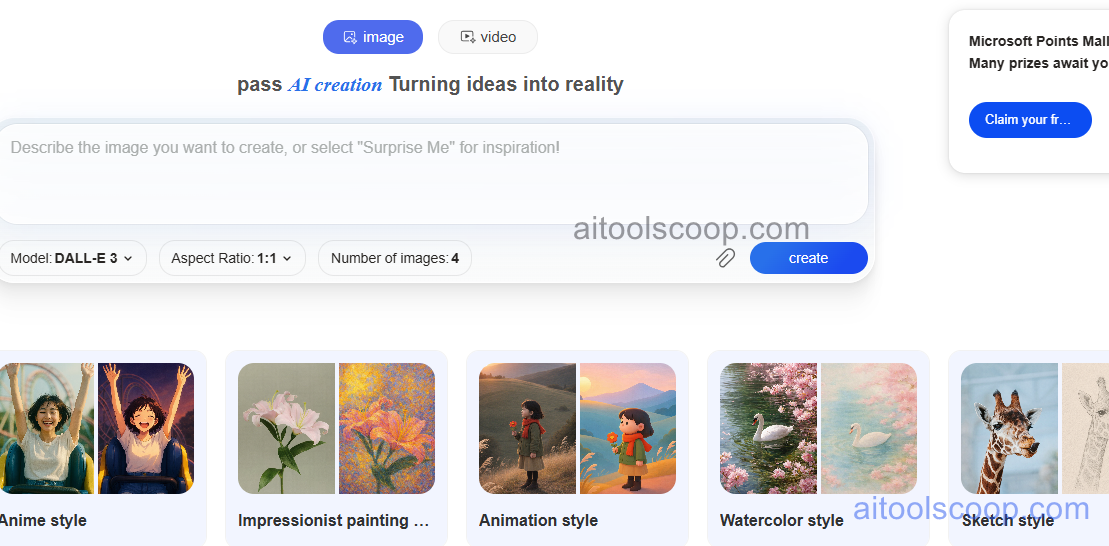
Bing Image Creator pricing
Bing Image Creator pricing — screenshot from bing.com/images/create
  • Free — $0 — unlimited standard-speed generation and 15 fast creations per day. A Microsoft account is required. Additional fast generations use Microsoft Rewards points. No subscription or credit card needed.

Always check the latest rates on the official website. For more AI tool reviews, visit aitoolscoop.com.

Who Should Use Bing Image Creator?

Bing Image Creator is ideal for casual creators, students, bloggers, and anyone who needs quick AI-generated visuals without paying a subscription. Its deep integration with Microsoft 365 makes it particularly useful for professionals already working in Word, PowerPoint, or Designer who want to generate custom images within their existing workflow. It is not designed for high-volume commercial image production, but for everyday creative needs it is one of the most accessible free options available.


💰

Pricing Plans

Plan Price Includes
Pro $0/mo Full access + priority support
Check Current Pricing →
Affiliate Disclosure: This page contains affiliate links. If you click and make a purchase, we may earn a small commission at no extra cost to you. We only recommend tools we genuinely believe in.

🎯 Explore More

Discover other curated resources from our platform

🛠️ AI Tools View All →
Grammarly
Grammarly
★ 4.6
Recraft
Recraft
★ 4.3
Chronicle 2.0
Chronicle 2.0
★ 4.0
⚔️ VS Comparisons View All →
⚔️
ChatGPT vs DeepSeek: Which AI Is…
ChatGPT GPT-4o vs DeepSeek R1
⚔️
ChatGPT vs Gemini for Writing in…
ChatGPT GPT-4o vs Gemini 1.5 Pro
ChatGPT vs Gemini: Which AI Writing Tool Wins in 2026?
ChatGPT vs Gemini: Which AI Writing…
💡 Free Prompts View All →
💡
Beginner Guide: Fix an Unengaging Opening…
🔥 6.3K uses
💡
Code Review & Bug Finder
🔥 19.7K uses
💡
AI Prompt to Generate Color Palette…
🔥 16.8K uses
💡 Free Prompts