

Squadcast (squadcast.fm) is a browser-based remote recording platform built for podcasters, video creators, and audio producers. It solves the core problem of remote recording: instead of transmitting audio over the internet and losing quality to compression, Squadcast records each participant locally on their own device and syncs the lossless tracks automatically after the session. The result is studio-quality audio and 4K video regardless of each guest's internet connection.
Squadcast is used by independent podcasters, media companies, and production agencies to record interviews, panel discussions, and co-hosted shows remotely. Its integration with Descript — both are part of the same company — makes it a natural starting point for teams who record and then edit in Descript's AI-powered editor.
How Squadcast Works
The host creates a session and shares a link with guests. Each participant joins from their browser with no software to install. Squadcast records audio and video locally on each device simultaneously — capturing each person's microphone and camera feed as a separate, uncompressed track. After the session ends, Squadcast automatically uploads and syncs all tracks to the cloud. The host downloads individual per-participant tracks, or the session syncs directly to Descript for AI-assisted editing. Progressive uploading during the session means tracks are backed up as you record.
Key Features
- Local recording — each participant's audio and video recorded locally on their device, not streamed over the internet
- Lossless audio — 48kHz WAV audio per participant for maximum editing flexibility
- 4K video recording — local video capture up to 4K resolution per guest
- Separate tracks — individual audio and video file per participant for clean editing
- Progressive upload — tracks upload to the cloud during recording for automatic backup
- Descript integration — one-click sync to Descript for AI-powered transcript-based editing
- Green room — pre-session lobby for mic and camera checks before going live
- Screen sharing recording — record guest screens alongside audio and video
- Studio Sound — AI background noise and echo reduction applied to recordings
Squadcast Pricing
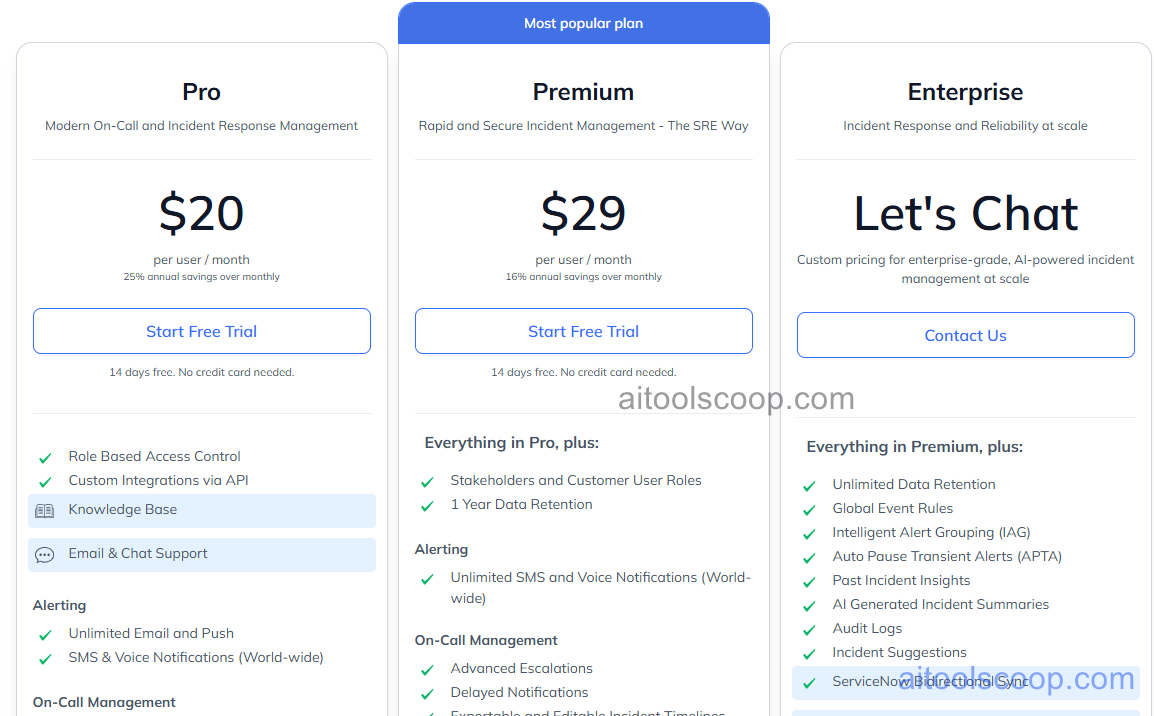
- Free — $0/month — up to 5 hours recording per month, 720p video, 2 participants, 48kHz audio.
- Creator — $20/month (monthly) or $15/month (billed annually) — unlimited recording hours, 4K video, up to 10 participants, Studio Sound AI, Descript sync.
- Pro — $29/month (monthly) or $24/month (billed annually) — everything in Creator plus screen recording, advanced permissions, priority support, team management.
- Enterprise — Custom pricing — custom participant limits, SSO, dedicated support, SLA, custom storage.
Annual billing saves approximately 25%. Always verify current rates at squadcast.fm/pricing.
Who Should Use Squadcast?
Squadcast is ideal for independent podcasters who record remote interviews and want studio-quality audio without renting a recording studio. It suits media companies and podcast networks recording regular remote shows. Teams already using Descript for editing will find the direct integration particularly useful. Squadcast is not suited for live streaming — it is a recording tool only. Teams needing video conferencing features beyond recording should use a dedicated video call platform alongside Squadcast.
Frequently Asked Questions
What is Squadcast?
Squadcast is a remote podcast and video recording platform that records each participant's audio and video locally on their device. This produces studio-quality lossless tracks regardless of internet connection quality. After the session, all tracks are automatically synced to the cloud and can be downloaded individually or sent directly to Descript for AI-assisted editing.
Is Squadcast free?
Yes. Squadcast has a free plan that includes up to 5 hours of recording per month, 720p video, 48kHz audio, and up to 2 participants. Paid plans start at $15 per month billed annually and add 4K video, unlimited recording hours, more participants, Studio Sound AI noise reduction, and Descript integration.
How much does Squadcast cost?
Squadcast has a free plan. Creator costs $20/month or $15/month billed annually. Pro is $29/month or $24/month annually. Enterprise pricing is custom. Annual billing saves approximately 25% compared to monthly billing.
Does Squadcast require software installation?
No. Squadcast runs entirely in the browser — no app installation required for hosts or guests. Participants join via a shared link. The platform is compatible with Chrome and Edge on desktop. Mobile recording is supported on iOS and Android via the Squadcast app.
How does Squadcast compare to Riverside.fm?
Both Squadcast and Riverside.fm record locally for studio-quality audio and video. Riverside.fm is generally considered stronger for video-first content creators and includes more built-in editing features and clip creation tools. Squadcast has a tighter integration with Descript for audio-first podcast workflows. Squadcast's free plan is more generous on recording hours. The best choice depends on whether your workflow is audio-first (Squadcast + Descript) or video-first (Riverside.fm).